Key takeaways
- Use the exact model number, not just a name such as “iPhone 14” or “Galaxy S24.”
- Record where the phone was bought and who originally sold it.
- Treat eSIM capability and carrier-unlocked status as two separate checks.
- Confirm compatibility with the company selling the travel eSIM before paying.
- Keep IMEI, EID, and serial numbers out of screenshots and public messages.
- If one check fails, choose a physical SIM, pocket Wi-Fi, or roaming instead.
The four-check test
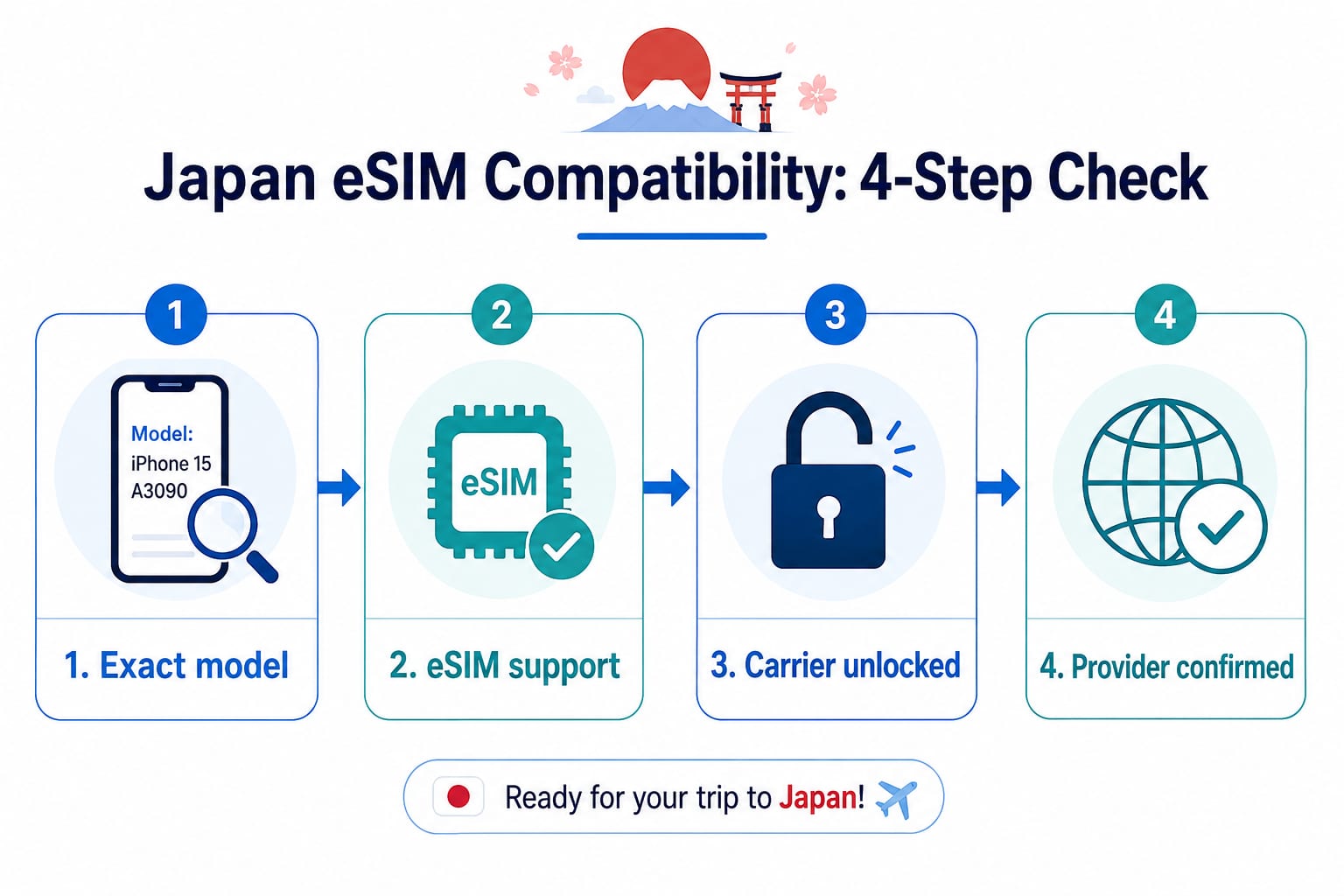
Think of compatibility as four gates. Your phone needs to pass all four before you treat it as ready for a Japan travel eSIM.
| Check | Question to answer | What counts as a pass |
|---|---|---|
| 1. Identity | What is the exact model, sales region, and original seller? | You can record all three without guessing. |
| 2. Capability | Does that exact regional version support eSIM? | Current manufacturer guidance confirms it. |
| 3. Carrier lock | Can the phone use service from another carrier? | The phone is confirmed as carrier-unlocked. |
| 4. Provider | Will the travel eSIM provider accept this phone and OS? | The provider’s current guidance or support team confirms it. |
If all four answers are clear, the phone is a reasonable purchase candidate. If one answer is unknown, stop and confirm it. If the phone does not support eSIM or is still locked, it is not ready to use a travel eSIM from another carrier.
Build a compatibility card
Write down the details below as you work through the checks. This prevents model names, regional versions, and provider requirements from getting mixed up. You can also paste the completed card into a private support request.
Japan eSIM Compatibility Card
Phone brand:
Product name:
Exact model number:
Country or region of purchase:
Seller or original carrier:
Current OS version:
Carrier-unlocked: Yes / No / Unknown
Manufacturer eSIM support checked: Yes / No / Unknown
Travel eSIM provider checked: Yes / No / Unknown
Installation method: QR code / App / Manual / Unknown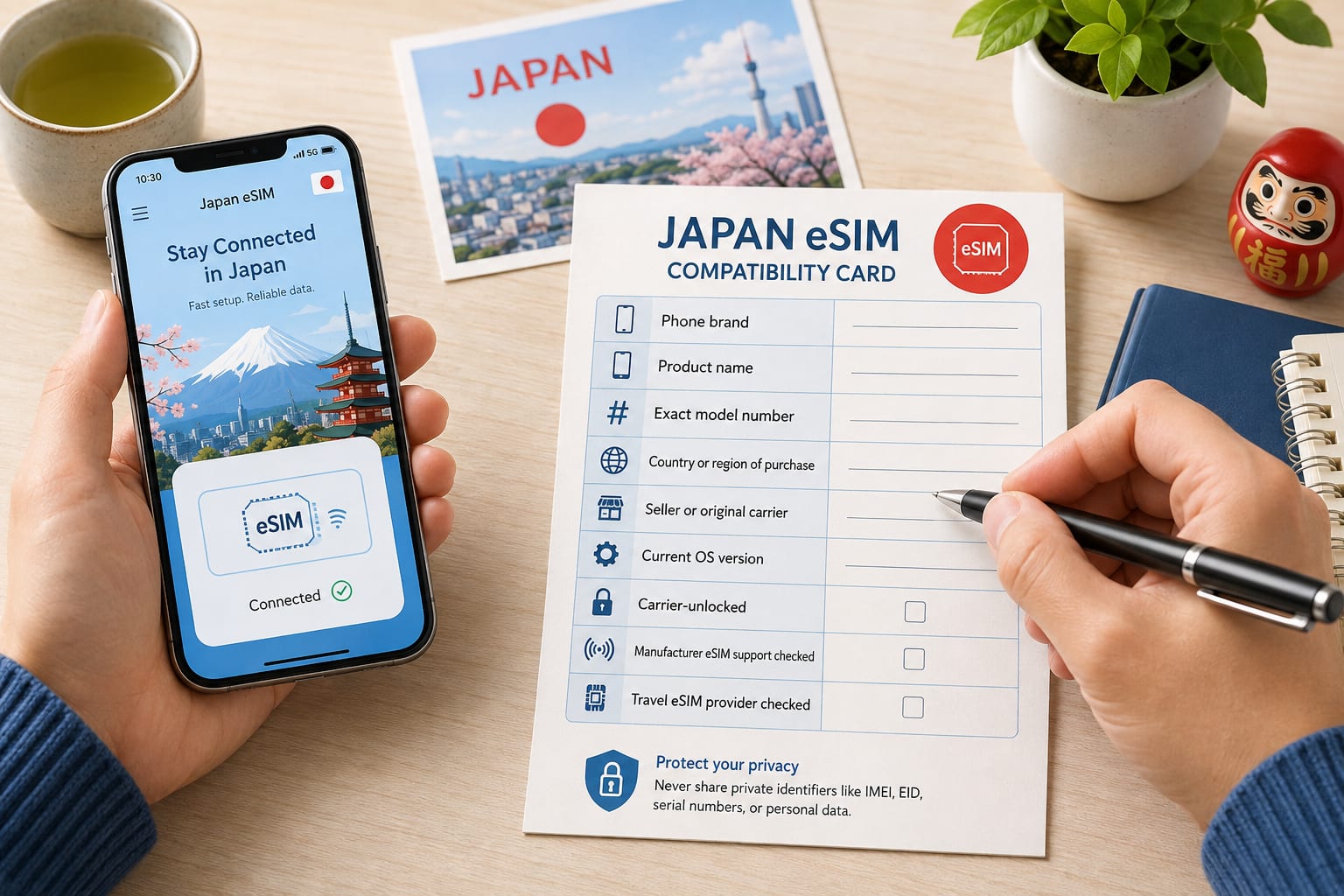
Check 1: Identify the exact phone
The product name on the box is not specific enough. Find the model number, then record the country or region where the phone was bought and the original seller or carrier.
iPhone
Open Settings → General → About. In the Model Number field, Apple first
shows a part number. Tap it to display the model number, which begins with A.
Record that number along with the country of purchase and the original seller. Two phones with the same consumer-facing name can have different SIM configurations in different markets.
Google Pixel
Open Settings → About phone and find the model information. Record the full
model, where you bought the phone, and whether it came from Google, a carrier,
or another retailer.
The same screen may show identifiers such as the IMEI. You do not need to copy those into a public message just to begin checking compatibility.
Samsung Galaxy
Open Settings → About phone and look for the model number. Record the full
number rather than stopping at a family name such as Galaxy S, A, or Z.
Menu labels can vary slightly by software version and market. If you cannot find the model number, check the original box or receipt, or use Samsung’s support instructions for the region where the phone was sold.
Check 2: Confirm eSIM support for that version
Now compare the exact model and sales region with the manufacturer’s current guidance. This is where a broad “supported phones” list is most likely to mislead you.
iPhone
Apple lists iPhone XS, iPhone XS Max, iPhone XR, and later models among the basic requirements for using an eSIM while traveling. Regional exceptions still matter.
As of August 13, 2026, Apple’s travel eSIM page says that only iPhone 17e and iPhone Air support eSIM in China mainland. It also points to certain models sold in Hong Kong and Macao that use two nano-SIM cards. Because Apple can update these exceptions, check its current page against your model number and purchase region rather than relying on the date in this article.
Google Pixel
Google says Pixel 4 and later phones work with eSIM, but it lists purchase-based exceptions for older models:
- Pixel 3a phones bought with Verizon service or in Japan do not work with eSIM.
- Pixel 3 phones have exclusions based on the carrier and country of purchase.
- For Pixel 2, Google lists only phones bought with Google Fi service as working with eSIM.
If you have an older Pixel, the purchase source is part of the model check. Even with a newer phone, Google advises checking with the carrier for service-specific support.
Samsung Galaxy
Samsung publishes a current list of Galaxy devices that support eSIM. It also warns that a listed device may still lack eSIM support depending on its country of origin. Some Galaxy A-series entries on the list are limited to particular regions.
Instead of copying a long list that will go out of date, use your exact model number and country of purchase on Samsung’s current support page. Contact Samsung support for the phone’s sales region if the match is unclear.
Check 3: Confirm that the phone is carrier-unlocked
An eSIM-capable phone can still be tied to the carrier that originally sold it. That lock is separate from the phone’s eSIM hardware and software support.
iPhone
Open Settings → General → About. Look next to Carrier Lock. Apple says
an unlocked iPhone displays No SIM Restrictions.
If you see something else, or the status is unclear, contact the original carrier before buying a travel eSIM.
Google Pixel
Google says a Pixel may be locked or unlocked depending on where it was bought. Phones bought from the Google Store are sold unlocked, while a phone bought from a carrier may be locked to that carrier.
Ask the seller or original carrier if you cannot confirm the status. Do not assume that finishing a contract or paying off the phone automatically removed the lock; the policy and process depend on the seller.
Samsung Galaxy and other Android phones
Android menus do not provide one universal lock-status check. If the setting is not clear, ask the original seller or current carrier whether the phone can use an eSIM from a different carrier. Give them the exact model number and your account details through their secure support channel.
Check 4: Confirm the travel eSIM provider’s requirements
Manufacturer support does not mean that every travel eSIM provider accepts every phone. Before paying, use the provider’s current compatibility page or ask its official support team to confirm:
- the exact model number;
- the phone’s country or region of purchase;
- the current OS version;
- whether installation uses a QR code, an app, or manual entry;
- when an internet connection is needed for installation or activation;
- when the plan’s validity period begins;
- whether the plan is data-only or includes a phone number, calls, or texts; and
- whether tethering or Personal Hotspot is allowed.
The first four points answer the core compatibility question. The others make sure that “works” matches what you actually need during the trip.
You can send a question like this:
Before I buy, can you confirm whether this exact phone model and sales region
can install and use your Japan eSIM? The phone is carrier-unlocked.
Include the completed compatibility card, but leave out the IMEI, EID, and serial number unless verified support specifically asks for one through a secure channel.
Read your result
| Result | Meaning | Next step |
|---|---|---|
| Ready to consider | All four checks are confirmed. | Save the activation rules and installation instructions before buying. |
| Ask before buying | The model, sales region, lock status, or provider support is unclear. | Do not buy yet. Confirm the unknown item with the relevant company. |
| Not ready for eSIM | The phone lacks eSIM support or is still carrier-locked. | Ask whether unlocking is possible or choose another way to connect. |
The safest rule is simple: never turn Unknown into Yes. A missing answer is
not a minor detail when you may need to solve the problem after landing without
a working mobile connection.
What “eSIM compatible” does not guarantee
Even after a phone passes the device checks, compatibility alone does not tell you whether:
- the phone supports every Japanese network band or 5G feature used by the plan;
- the plan includes a phone number, voice calls, or SMS;
- tethering or Personal Hotspot is permitted;
- an installation QR code can be scanned more than once;
- the validity period begins at purchase, installation, or first connection; or
- you can install the eSIM after arrival without another internet connection.
Treat device compatibility, plan features, and activation rules as three separate decisions.
Do a five-minute pre-departure check
Once you have chosen a compatible option, prepare for setup before you travel. Always follow the provider’s timing instructions; some providers tell customers not to install or activate a plan until a specific stage.
- Save your completed compatibility card.
- Make the installation instructions and activation rules available offline.
- Prepare a second screen for the QR code, or save the manual entry details.
- Arrange access to secure Wi-Fi or a trusted hotspot for setup if required.
- Check how to prevent unintended roaming charges on your home line.
- Save the official support contact and a backup connection plan.
If your phone fails the check
Do not force the eSIM option if the phone is incompatible, locked, or impossible to verify. A physical travel SIM, pocket Wi-Fi, or international roaming may be more practical. Compare those alternatives in our guide to getting internet in Japan.
Evidence and limits of this guide
This checklist is based on the Apple, Google, and Samsung support pages listed with this article. It explains how to check compatibility; it is not a hands-on test of every phone and travel eSIM combination, and it does not guarantee that a particular service will work.
Device support and provider requirements can change. Use the official pages for your phone and chosen provider again immediately before buying.
Sources6 checked
- Google Pixel Help, "Get a SIM or eSIM and add it to your Pixel phone"Checked 2026-08-13
- Google Pixel Help, "Use your Pixel phone with any mobile carrier"Checked 2026-08-13
- Samsung Support, "Galaxy eSIM and supported network carriers"Checked 2026-08-13
- Samsung Support, "How to find the model and serial number of my product"Checked 2026-08-13